

The calling feature has now become a must for any smartwatch. In the market, even low-range to high-end watches are offering a calling feature on the board. To make a call or answer a call, you have two options. First, the smartwatch should have a microphone and speaker, or second, it should have Bluetooth headsets or earbuds. It is common to have Bluetooth headset support for premium smartwatches. Some watches also have a microphone & speaker. And there is the Galaxy Watch 4, Watch 5, Watch 6 & Watch 7, which both have these functions.
You can get both options on the Samsung smartwatch to manage a call or listen to music. The microphone & speaker on the Galaxy Watch produce good sound quality, and we are not denying its quality. It is a useful option when you are in driving mode or want assistance in exercises. But we will talk about that later, and today, I will tell you how you can do all those things with Galaxy earbuds. Yes, you can answer calls, make calls, listen to music, watch videos, get a voice assistant, and give voice commands through Bixby or Google Assistant.
Step by step, you should know how to connect Galaxy Buds to Galaxy Watch.
1. Open the Galaxy Wearable app
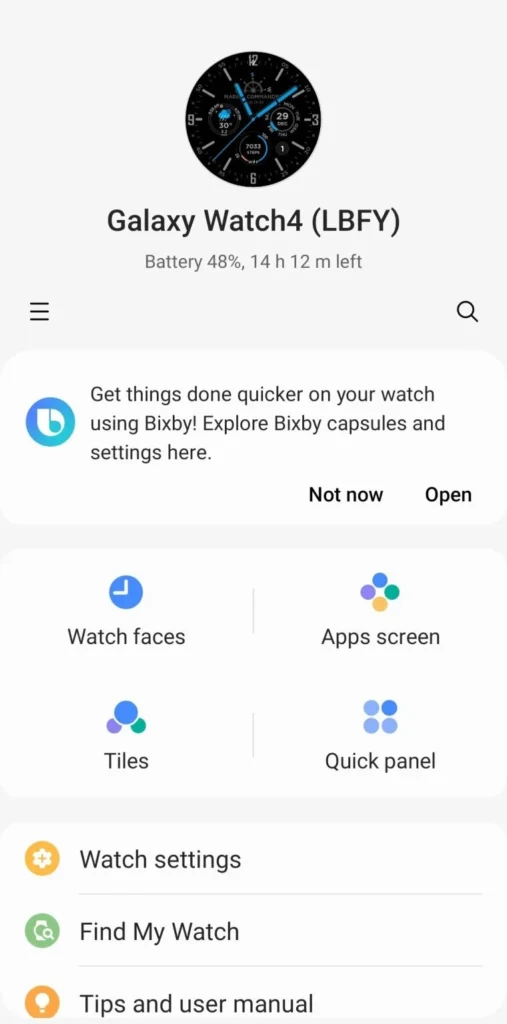
It is the first step in every solution. I assume you have paired your smartwatch with the Galaxy Wearable, so let us move further.
2. Pair your earbuds
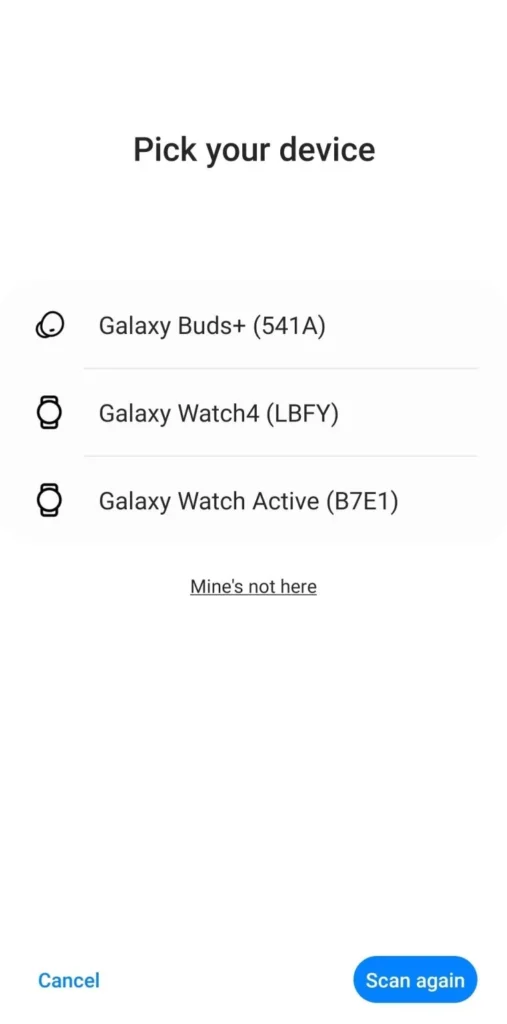
To pair your earbuds with the Galaxy Watch, you first have to pair them with the Galaxy Wearable app. To do that, wear earbuds.
3. Follow the instructions
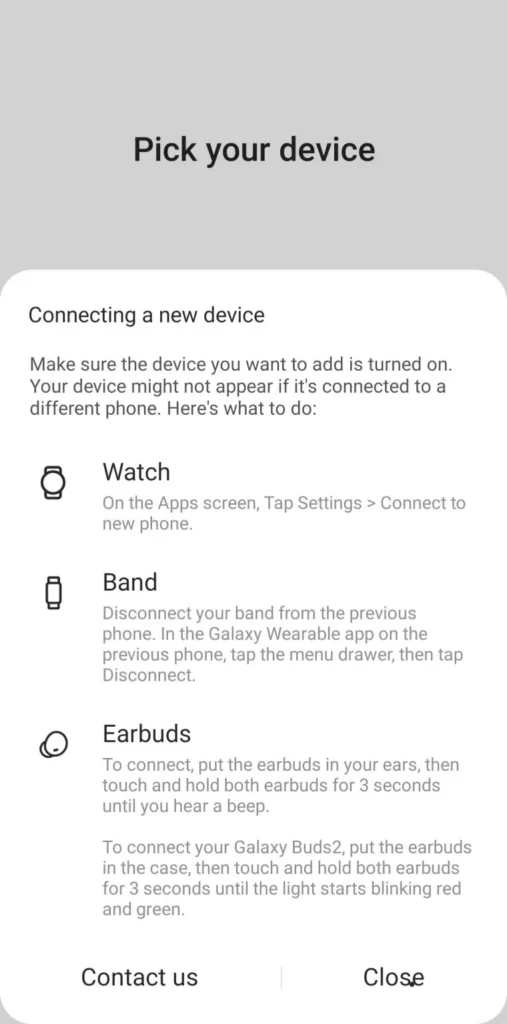
With the Galaxy Buds 2 Pro, the process to connect your buds has changed. To connect it, first wear the buds for three seconds. And for Buds 2, you should put Buds in the case and touch and hold them for three seconds.
4. You have successfully paired it
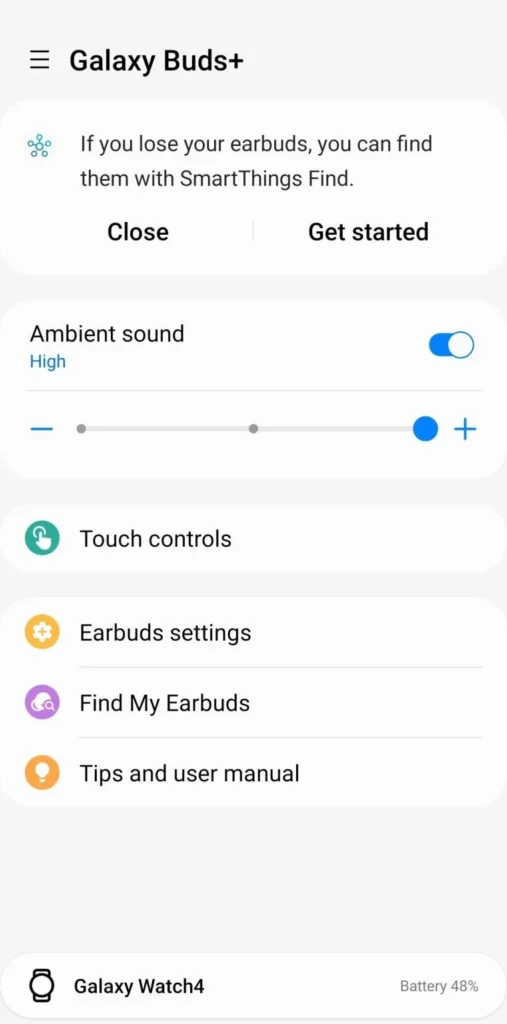
After a successful pairing, you can automatically, control your earbuds from both your smartphone and Galaxy Watch.
5. Open the Buds Controller app on the Galaxy Watch

With the Watch 4, some settings have changed in the software. All the earbuds-related features have now moved to the Buds Controller app. It is pre-installed on the watch, and it will be activated once you pair the earbuds with the smartphone.
6. Use specific settings to control the buds
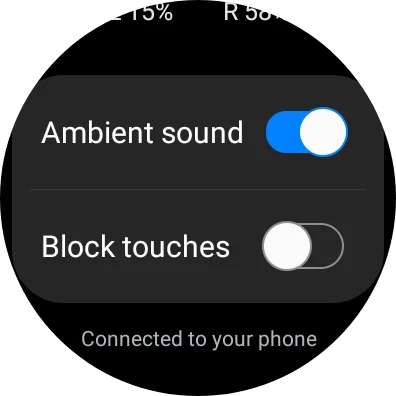
In the Galaxy Wearable app, you can open Earbuds settings to control all the settings. On the smartwatch, it has given only two options - Ambient sound & Block touches.
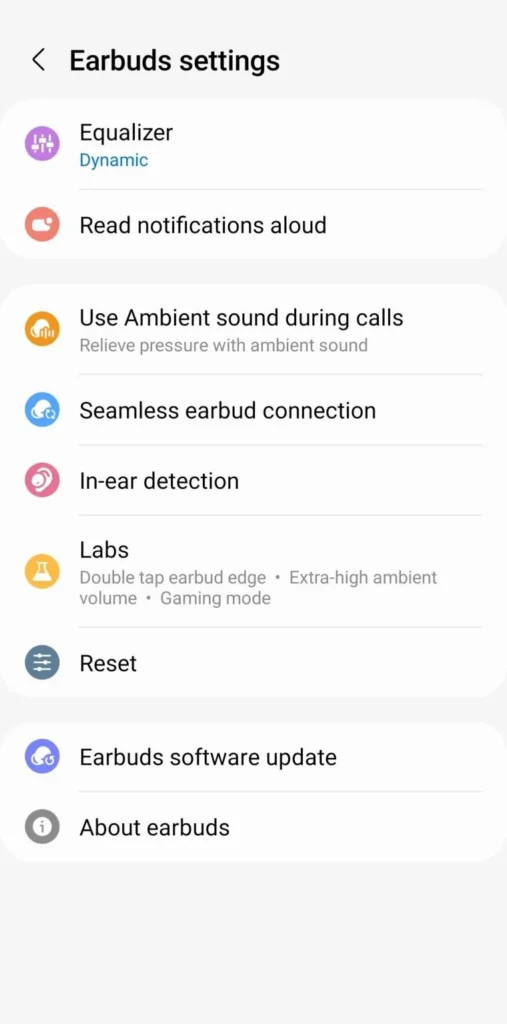
All the other settings have been located in the earbuds plugin in the Wearable app. Whatever changes you make on the phone, will take effect on your earbuds.
After successful pairing, you can now use the Galaxy earbuds with the Galaxy Watch 4, Watch 5 & Watch 6. Play any songs or videos, make calls, answer them, get any voice response, and hear everything on your earbuds.